Quickstart walkthrough
Five minutes, one document, no configuration beyond what
Installation left you with. Use synthetic text for this —
backend/tests/files/synthetic_discharge.txt is exactly what the screenshots
below show.
1. Open the app
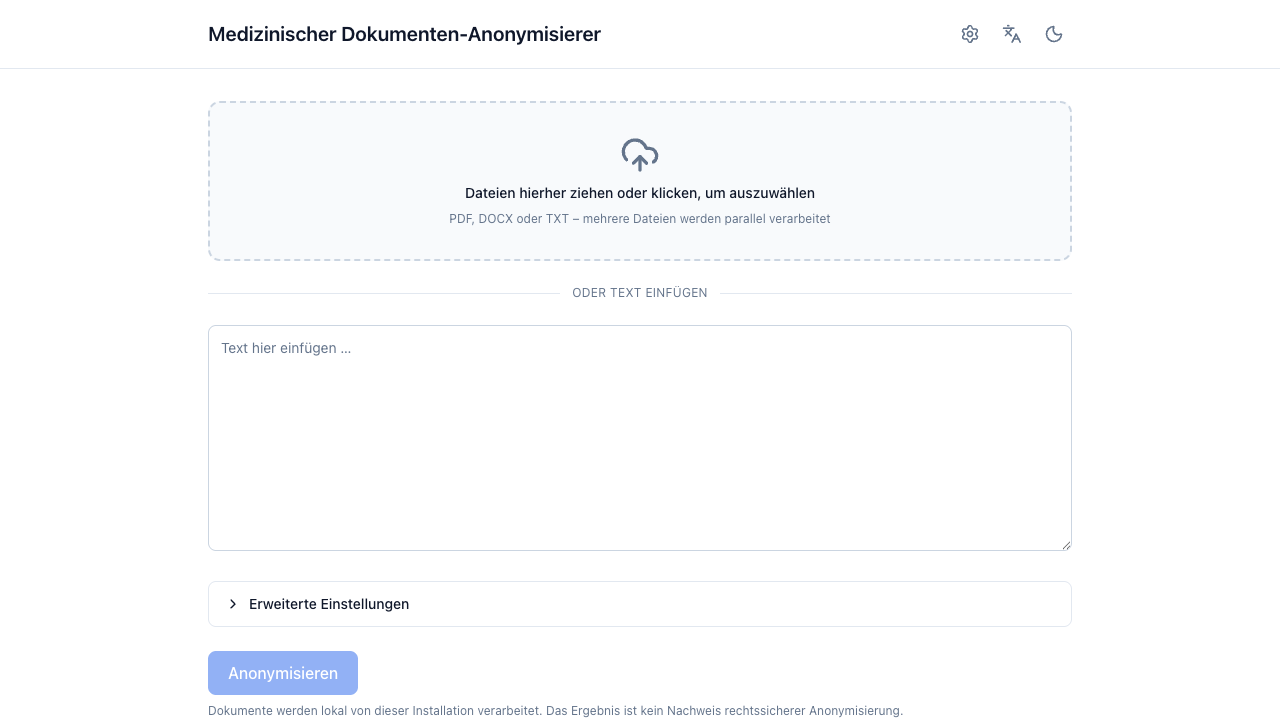
Check the header first. A warning chip there means either that a configured endpoint is not local (document content will leave this machine) or that an enabled detector is not configured (it will fail the request rather than degrade). Click it for the details.
Following this without an LLM endpoint
If you took the DETECTORS=rules escape hatch during
installation, only the rule detector runs: this
walkthrough will find dates, phone numbers and labelled IDs but leave
names in the prose untouched. That is the configuration behaving
correctly, not a bug — configure the LLM
(LLM endpoints) before judging the
results.
2. Give it a document
Either:
- Paste text into the text area, or
- Drop files on the dropzone —
.pdf,.docx,.txt. Several files at once are fine; each becomes its own document and they process in parallel.
Then press Anonymisieren. For a scanned PDF this includes OCR, so it can take a while; the progress card reports the stage it is in.
3. Read the result
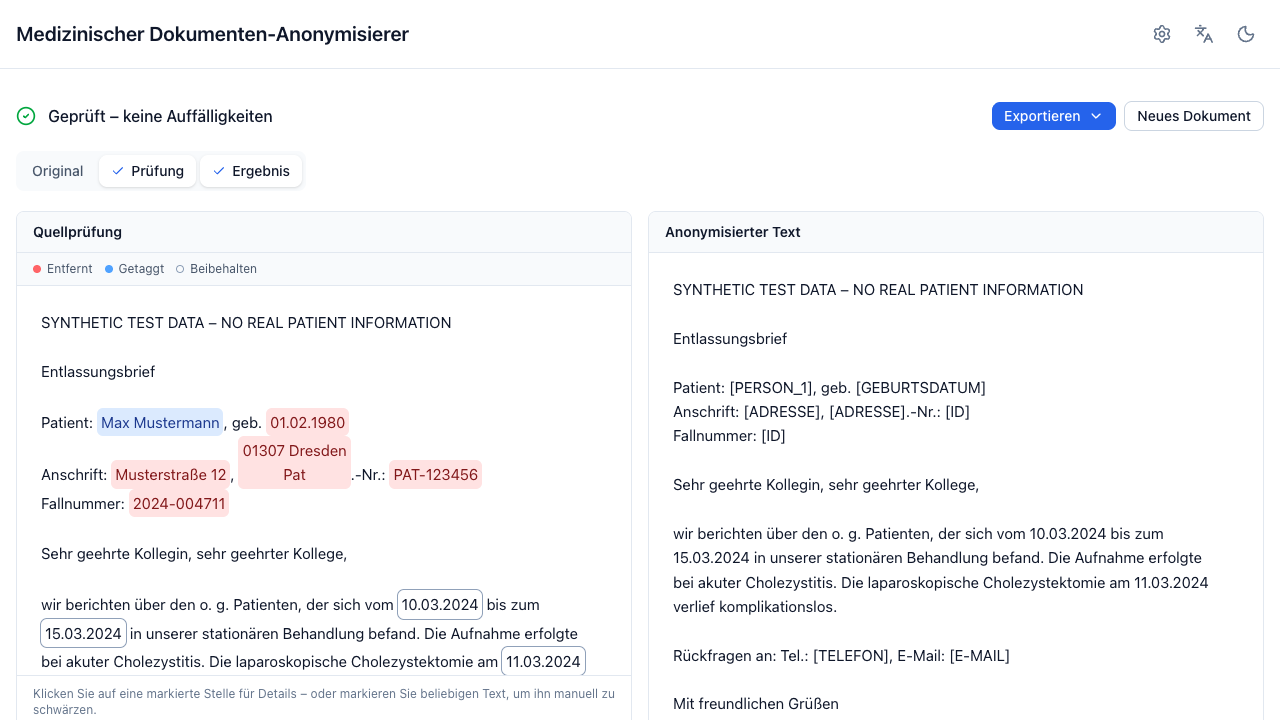
Three things to look at, in this order:
- The status line. Geprüft – keine Auffälligkeiten (PASS), Prüfbedarf (review required), or Prüfung fehlgeschlagen (failed). This is the leakage validator's verdict, not a promise — Warnings & validation.
- Quellprüfung — the original text with every detected entity marked and colour-coded by what happened to it. Colour is always paired with a label.
- Ergebnis — the anonymized text (or the redacted PDF for PDF sources).
4. Correct what is wrong
Click any marked passage:
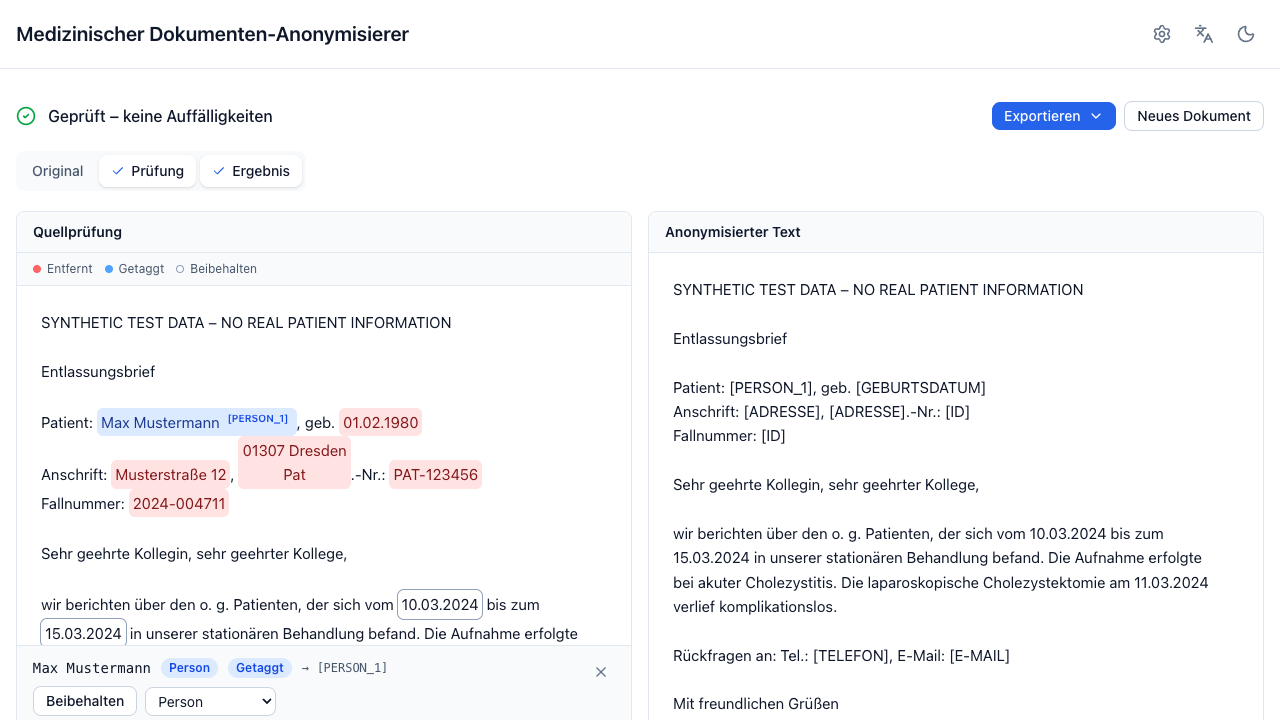
- Beibehalten keeps it visible (for example a treating clinic you want in the text).
- Schwärzen redacts something that was preserved.
- The dropdown corrects a wrong type — for example an ID detected as a date.
- Zurücksetzen undoes your change.
You can also select any text in the source view and redact it manually, even if no detector found it.
Every change re-runs the deterministic transformation on the server; the anonymized text and the redacted PDF preview refresh together. The original document is never modified.
5. Export
Exportieren offers: copy to clipboard, .txt, .pdf (PDF sources only),
and — for a batch — all documents as a .zip. See
Exporting, in particular the note about original
filenames.
What to do next
- Read Core concepts so the validation status and the entity types mean something.
- Configure a real detection LLM: LLM endpoints.
- Before trusting it on real data, measure it: Evaluation.