Advanced settings
Everything on the input screen under Erweiterte Einstellungen. It is collapsed by default and you rarely need it — the defaults are the recommended configuration.
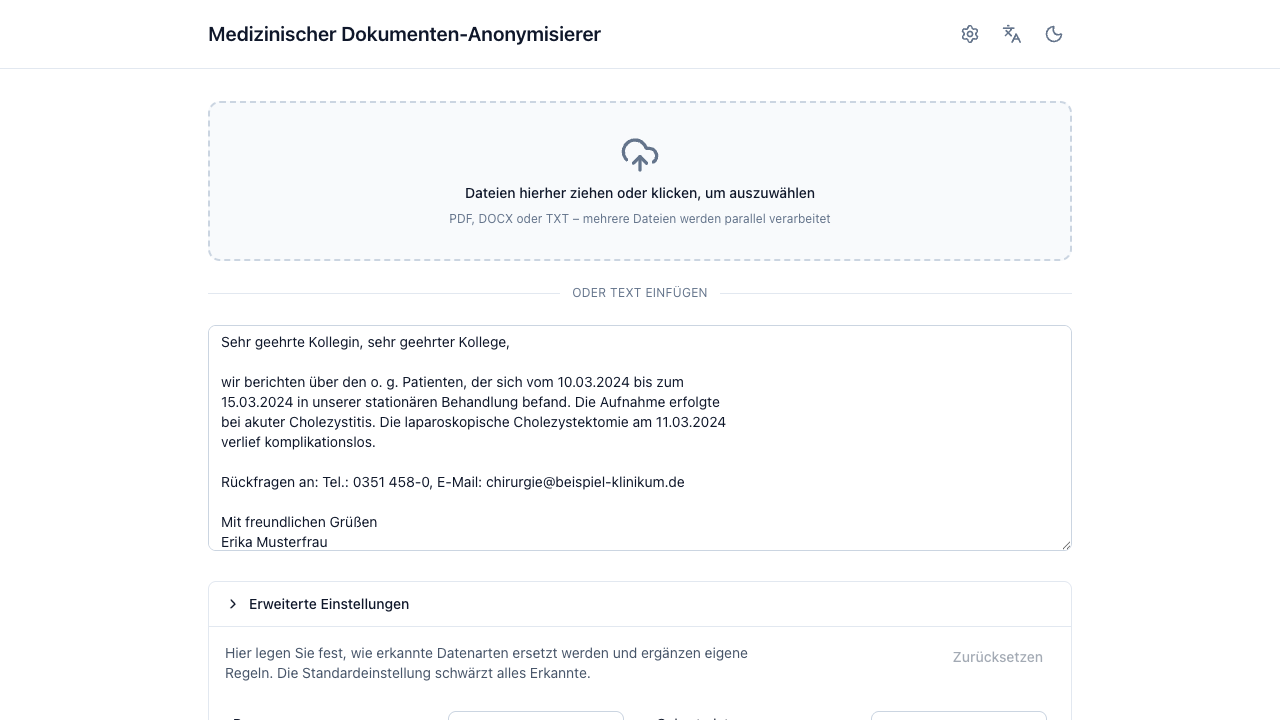
Settings are captured once, at submit, and apply to every document of that batch — including its re-runs and exports. Changing them afterwards affects the next run, not the current one. A angepasst badge on the section header tells you the batch deviates from the defaults; Zurücksetzen clears everything back.
Per-type replacement
One row per entity type, each with the transformations that make sense for it:
| Choice | Effect |
|---|---|
| Schwärzen | Replace with the type placeholder, e.g. [ADRESSE]. |
| Konsistente Tags | Numbered per distinct value: [PERSON_1], [PERSON_2]. Names only. |
| Nur Jahr | Dates keep their year: 01.02.1980 → 1980. |
| Entfernen | Replace with [GESCHWÄRZT] — no hint of what was there. |
| Beibehalten | Leave visible. |
The two rows worth thinking about:
- Datum defaults to Beibehalten so clinical timelines stay usable. Set it to Schwärzen or Nur Jahr when your use case does not need them — dates are strong quasi-identifiers in combination with other details.
- Geburtsdatum defaults to Schwärzen. Nur Jahr is the middle ground when you need age-adjacent information.
Only your deviations are sent to the server; anything you leave alone keeps its default.
Eigene Regeln (custom rules)
Zusätzlich schwärzen
Terms that are always redacted, everywhere, regardless of what the LLM finds — whole words, case-insensitive. This runs as its own deterministic detector, so it does not depend on model behaviour at all.
Use it for things a general model has no way to know are sensitive: internal ward names, a study site code, a rare device identifier.
Nie schwärzen
Detected passages with exactly this wording stay visible.
This reduces protection
A term you exempt stays visible in every document of the batch, including occurrences you did not look at. Prefer a per-entity Beibehalten in the review view unless you really mean "never, anywhere".
Zusätzliche Anweisung an die KI-Erkennung
Free text appended to the LLM's detection instructions — for example "Melde auch Zimmernummern und Studien-IDs (z. B. NCT-Nummern)."
It can only extend or sharpen detection: the standard instructions, the rule detectors, and every deterministic check stay active regardless of what you write. It cannot switch anything off.
Because this changes detection, it takes effect on a full run — not on a correction in the review view.
Sprache des Ergebnisses (output language)
The placeholders written into the anonymized document — and the language the AI re-check phrases its notes in — follow the language selected here. It defaults to Wie die Oberfläche, i.e. whatever the interface is set to.
| Output language | Person | Date of birth | Entfernen |
|---|---|---|---|
| Deutsch | [PERSON_1] |
[GEBURTSDATUM] |
[GESCHWÄRZT] |
| English | [PERSON_1] |
[DATE_OF_BIRTH] |
[REDACTED] |
| Français | [PERSONNE_1] |
[DATE_DE_NAISSANCE] |
[CAVIARDE] |
| Español | [PERSONA_1] |
[FECHA_DE_NACIMIENTO] |
[OCULTADO] |
Like every other setting here it is fixed when you press Anonymisieren. Switching the interface language while reviewing translates the buttons and warnings around the document, but never rewrites the document itself: corrections, re-runs and the PDF export keep the placeholders you already see. To get a document in a different language, start a new run.
Texterkennung (OCR)
OCR-Modell appears only when the administrator has configured several OCR models (profiles). The default is preselected; picking another applies to the next run and stays with each document, so its corrections and PDF export keep using the same model. With a single configured model there is nothing to choose and the picker is hidden.
OCR erzwingen appears only when an OCR engine is configured. It skips the embedded-text probe and re-reads every page of an uploaded PDF via OCR. Use it for scans whose text layer is missing or garbled. It affects PDF uploads only and makes processing considerably slower.
Expert mode
Behind the gear icon in the header:
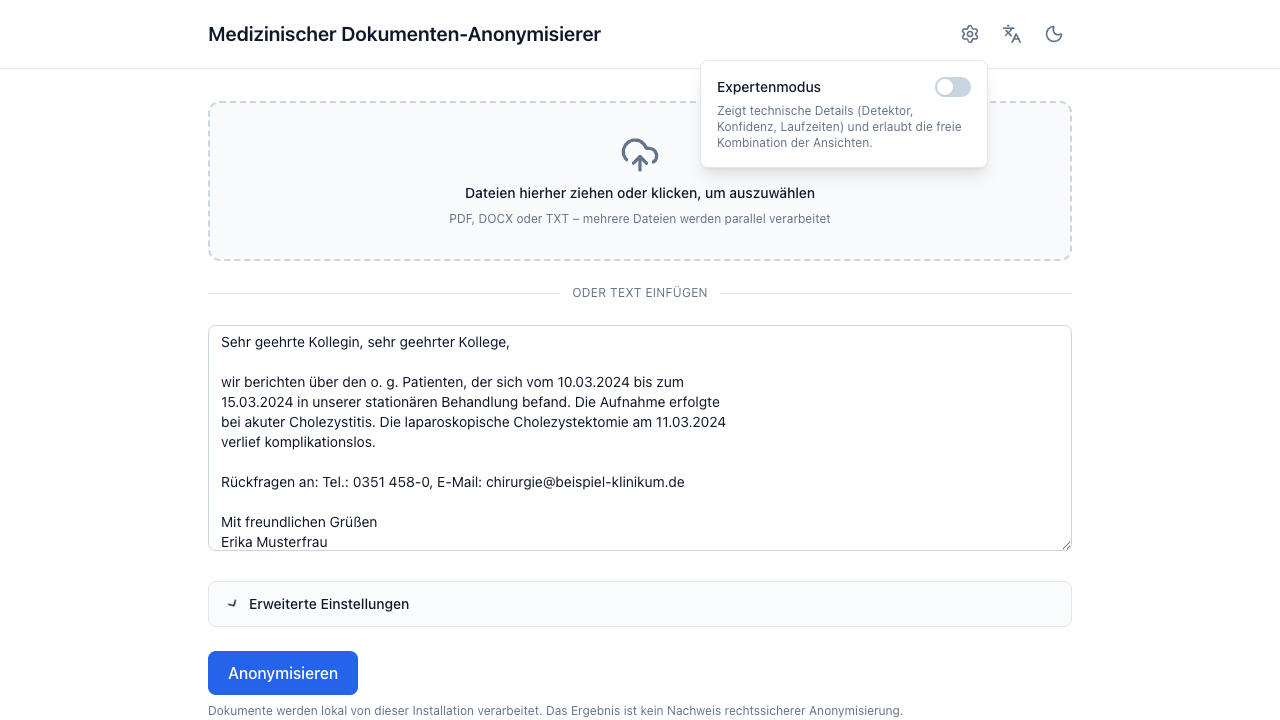
Expert mode adds diagnostics rather than capability:
- detector name, confidence, applied transformation and character offsets in the entity detail bar,
- source type and processing time in the result header,
- severity and category on each validation warning,
- free combination of all four result panels instead of the consolidated Ergebnis chip.
The preference persists in your browser (it is a UI preference, not document content).