LLMAIx Web
Turn unstructured medical and lab documents into structured JSON using large language models. Upload PDFs, images, or spreadsheets, extract data with configurable schemas and prompts, then evaluate the results against ground truth.
Research use only
LLMAIx Web is a research prototype. It may not run stably and extracted results can be inaccurate. Always verify outputs before using them in practice. It is not a certified medical device — the deploying institution is the data controller and is responsible for its own security review, DPIA, and information-governance sign-off.
What can it do?
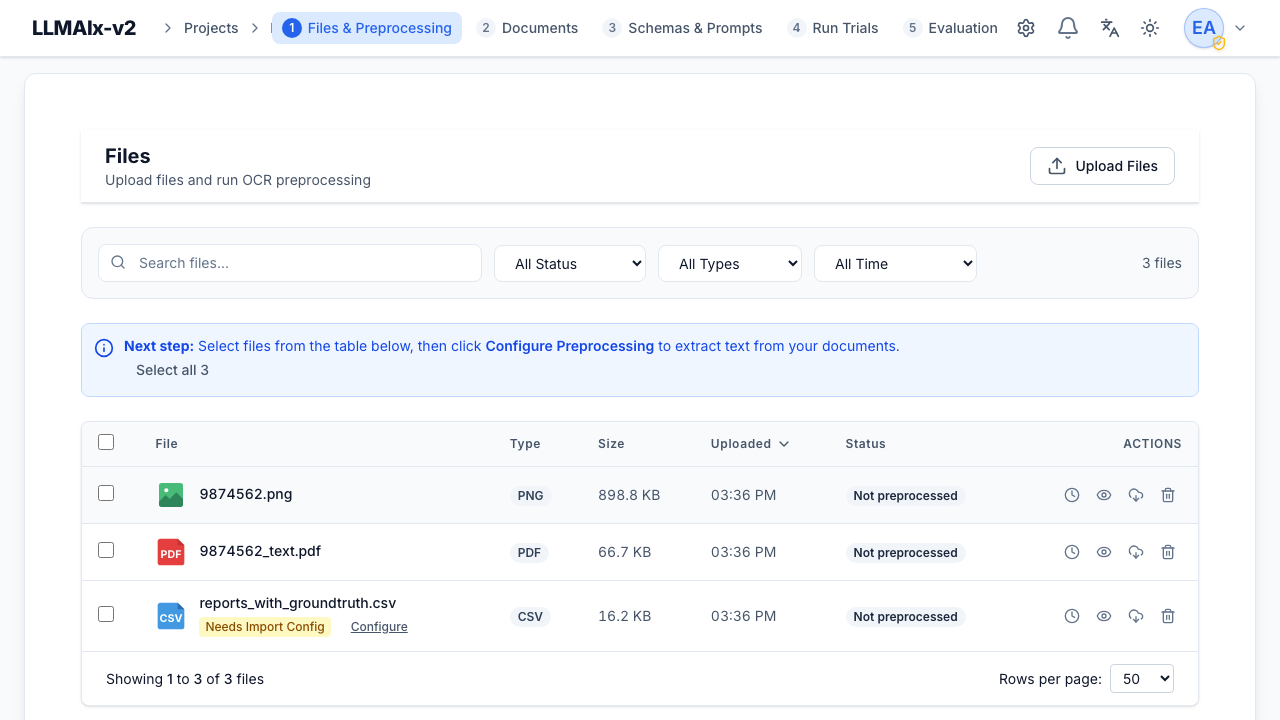
- Upload & organize — PDF, DOC/DOCX, images, CSV/XLSX, and TXT files with column selection and previews.
- Preprocess & OCR — four extraction engines: quick local OCR, remote Docling, Mistral OCR, and vision-LLM OCR.
- Design schemas visually — a tree-based JSON schema editor with nested objects, arrays, every JSON type, import/export, and validation.
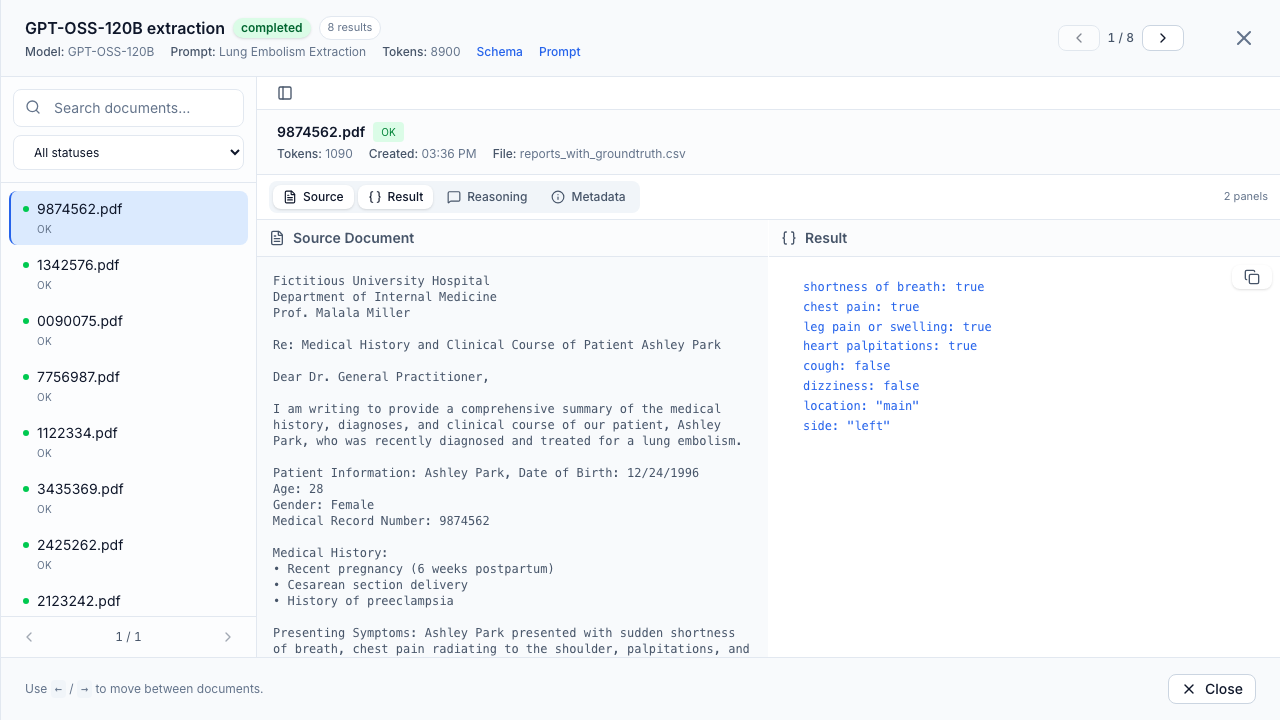
- Run LLM extractions — extraction runs across different prompts, schemas, and models against any OpenAI-compatible endpoint.
- Evaluate — upload ground-truth spreadsheets, compare field-by-field, and compute per-field and overall accuracy metrics.
- Stay private — run fully local or with self-hosted providers. No forced external calls.
Works with any OpenAI-compatible API
Use official services (OpenAI, Mistral OCR) for convenience, or run everything fully local with self-hosted models — DeepSeek-OCR-2 via KatDocExtract, or vision LLMs such as Gemma via vLLM — for sensitive environments.
Where to next?
- Getting started — install the app and run your first extraction.
- User guide — a detailed reference for every tab in the workflow.
- Administration — users, SSO, settings, and task monitoring.
- Operations — deploy, configure, upgrade, and back up.
- Security & governance — threat model, data flow, retention, and DPIA.
- Development — contribute and understand the architecture.
The workflow at a glance
A project is the top-level container. Inside it you follow this sequence:
Each step has its own tab in the project view and its own page in the user guide.