Single sign-on (SSO)
Single Sign-On (OIDC) (/admin/sso) manages OpenID Connect identity
providers (Google, Keycloak, Azure AD, and any OIDC-compliant provider). The page
lists configured providers as cards and has an Add provider button in the
header.
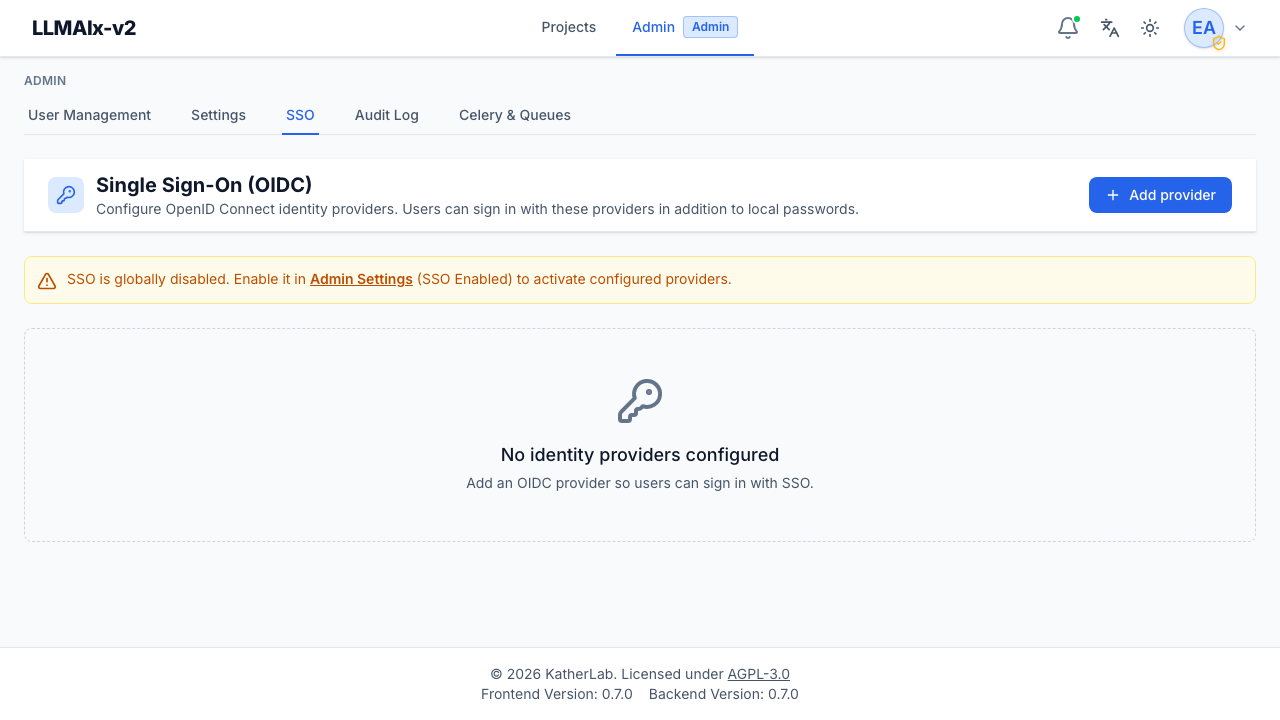
Enable SSO globally first
SSO must be enabled in system settings (SSO Enabled). When it's off, the page shows a warning banner with a link straight to the settings tab. You can still add and configure providers while SSO is globally off — they just won't appear on the login page until you flip the global switch.
Adding a provider
Add provider opens a form:
- Display name — the label users see on the login page (e.g. "Google").
- Issuer URL — the provider's base URL; the app discovers its configuration
from
{issuer}/.well-known/openid-configuration(for examplehttps://accounts.google.com). - Client ID and Client secret — from the provider. The secret is stored encrypted. On create, the client secret is required. On edit, leave it blank to keep the current one — only enter a value to rotate it.
- Scopes — space-separated OIDC scopes; defaults to
openid email profile. - Enabled — whether the provider is live and offered on the login page.
Managing providers
Each provider row shows:
- its display name and an Enabled / Disabled status pill,
- a warning if no client secret is set yet,
- its issuer URL, client ID, and scopes, and
- Edit and Delete buttons.
Deleting a provider prompts for confirmation. It keeps linked users' accounts but stops them signing in through that provider. To temporarily suspend a provider without deleting it, edit it and clear the Enabled checkbox instead.
How sign-in works
The login flow uses PKCE and a short-lived signed state, with the redirect URI derived from the app's configured URL. On first sign-in, users are provisioned just-in-time: linked to an existing identity, matched to an existing account by email, or created new — governed by settings such as whether a verified email is required, whether an invitation is required, and the default role for new SSO users.
SSO-only users have no password until they set one on the account settings page. Users can see and disconnect their linked providers there too (subject to always keeping one sign-in method).
Redirect URI and issuer must match the provider config
Register the app's SSO callback URL (derived from your configured base URL) as an allowed redirect URI at the provider, and make sure the Issuer URL exactly matches the provider's issuer. Mismatches are the most common cause of failed SSO logins.
SSO provider changes (create/update/delete) and SSO logins are recorded in the audit log.