Administration
Administrator-only areas for running LLMAIx Web. These are gated behind the admin
role and live under /admin. The whole section is reachable from the gear
Admin link in the app header, which only appears for users whose role is
Admin. Non-admins who navigate to any /admin/* URL are redirected away.
The admin area is a single tabbed dashboard: switching between the pages below
keeps you inside the same shell. Opening /admin with no sub-page redirects to
User management, which is the default landing view.
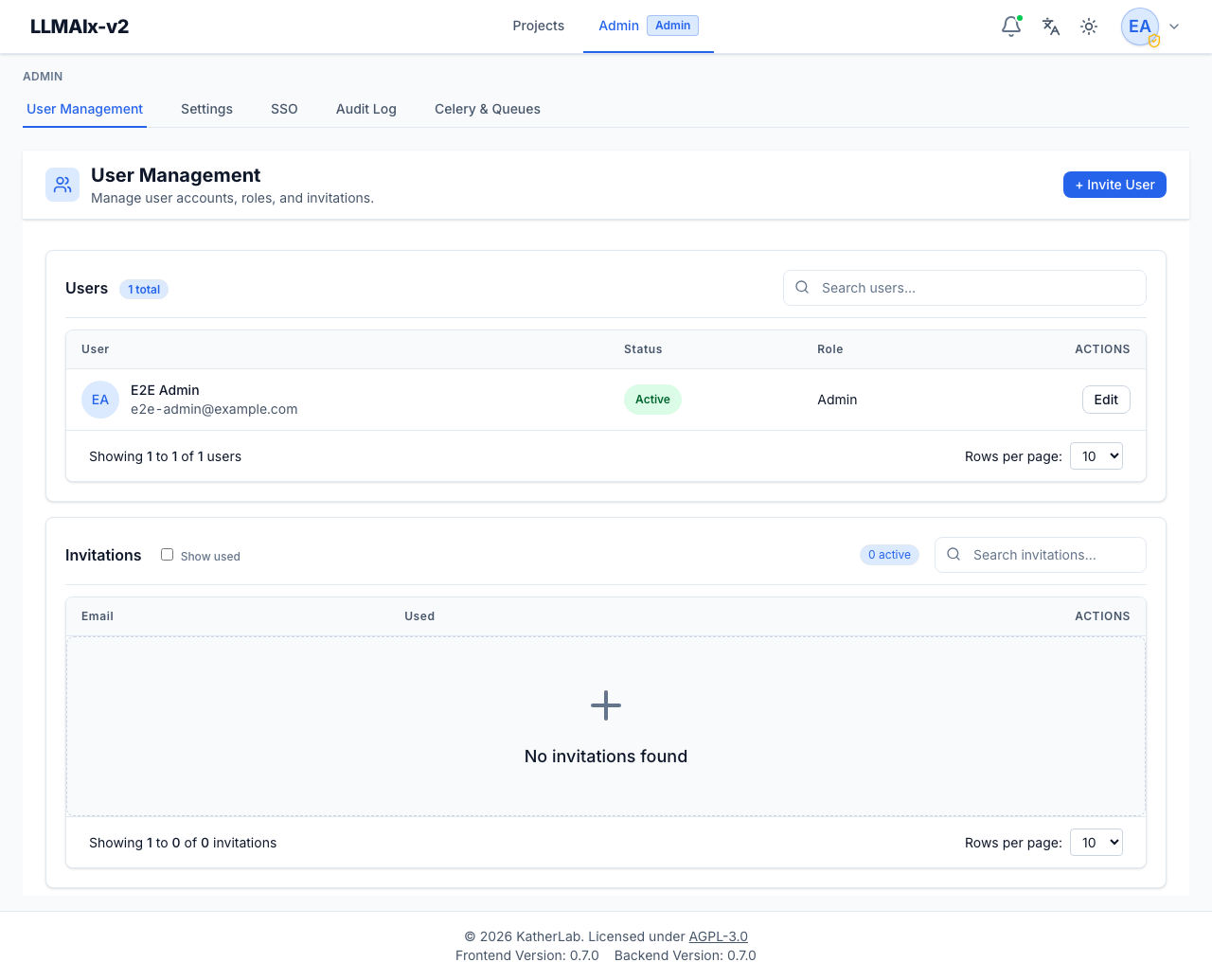
| Page | Route | What it covers |
|---|---|---|
| User management | /admin/user-management |
Invitations, roles, activation, lockout. The default /admin view. |
| System settings | /admin/settings |
System-wide configuration and secrets, grouped into category tabs. |
| Single sign-on (SSO) | /admin/sso |
OIDC identity provider configuration. |
| Audit log | /admin/audit |
Append-only activity trail and the central error log. |
| Task monitoring | /admin/celery |
Celery workers, queues, and task inspection. |
Which tabs appear
Some tabs are gated by deployment configuration. For example, the SSO tab is only useful once SSO is enabled in settings, and task monitoring assumes Celery is running. Tabs that don't apply to your deployment may be hidden or show an empty/reminder state rather than being removed entirely.
Activity bell
The bell in the app header shows live task activity (preprocessing and extraction runs) for everyone. Admins additionally get a View all activity link to the task monitoring page.